
User guide




■
TV Connection
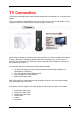
The TVisto provides high quality video and audio output when connected to your TV set and audio
system.
The TV connection is straightforward. Just connect the TVisto to your TV set (NTSC or PAL)
using the included AV cable, plug in the power supply and turn it on.
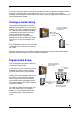
When using the default AV Cable provided with the TVisto, you have Composite video signal,
S-Video, and stereo (Left/Right) analogue audio out connected to your TV set. If your TV
does not have Composite or S-Video, then use the optional SCART adapter to connect it to
the SCART port on your TV.
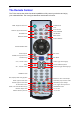
You have the choice to purchase the following optional cables:
• AV Cable with Analogue YPbPr video (progressive or interlaced) scalable up to
1920x1080i or 1280x720p
• AV Cable with full SCART (RGB) support
• VGA AV adaptor for VGA interface
• SPDIF optical audio cable
Both YPbPr and VGA video cables provide analogue L/R audio. The VGA cable provides
VGA out scalable up to 1024x768.
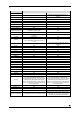
From best to worst in regards to the video quality and connection, the order is as follows:
• Component YPbPr 1080i
• Component YPbPr 720p
• Component YPbPr 480p
• SCART RGB
• S-Video
• Composite
■
8