
Installation Guide




3
Small:
Strip insulation 3/8 in (10 mm) for 14 AWG wire
Strip insulation 1/2 in (13 mm) for 16 or 18 AWG wire
Use to join one 14 AWG supply wire with one 16 or 18
AWG control wire.
Large:
Strip insulation 1/2 in (13 mm) for 10, 12 or 14 AWG wire
Strip insulation 5/8 in (16 mm) for 16 or 18 AWG wire
Use to join one or two 12 or 14 AWG suply wires with one
10, 12, 14, 16, or 18 AWG control wire.
Single Unit Installation
1. TURN POWER OFF at fuse box or circuit breaker. Wiring
with power on can result in personal injury. Damage caused by
wiring with power on will void the warranty.
2. Remove wallplate and slider from control to prevent surface
damage and to access mounting holes. Pull out at top and
bottom edges, plate will snap off.
3. Strip wallbox wires. IMPORTANT: When making wire
connections, follow the recommended strip lengths and
combinations for the supplied wire connectors. Twist wire
connector tight making sure that no bare wire is exposed. Note:
Wire connectors provided are suitable for copper wire only. For
aluminum wire, consult an electrician.
4. Use wire connectors supplied to make the connections
shown in Figure I. Refer to the appropriate wiring diagram for
your application on page 4, when installing control. Additional
wiring information may be found on ballast.
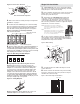
Figure I: Wallbox Wiring
5. Carefully push wires into wallbox allowing room for the
control's backcover.
6. Mount control into the switchbox using center mounting
holes in the control's base and screws provided. See Figure J.
Unit MUST be mounted vertically.
Figure J: Front VIew-Single Unit Installation
Small
Large
Figure E: Side Section Removal
Side section break-off points
4. Wire each control according to Steps in "Single Unit
Installation" on page 3.
5. Install controls in wallbox(es). Use center mounting
holes as required for fi rst unit, then use offset mounting
holes as required for proper alignment. Remember to
keep all small controls grouped together. See Figure F.
6. Replace sliders and snap on multi-gang wallplate (or
multiple single wallplates) and adjust up or down for a
snug fi t. Multi-gang wallplates (with mounting frames and
instructions) are available in a variety of colors to beautify
and simplify your installation. See Figure G.
Figure F: Front View - Four-Gang Installation
Side Sections Removed
Inner Side Sections
Removed
Multigang wallplates, which eliminate the need to cut
individual wallplates, are available from Lutron.
Center Mounting Holes
Figure H: Cutting Wallplate
Cutting Wallplates When Removing Side Sections:
Wallplates will need to be cut if side sections are
removed when not using a multi-gang wallplate. Place
wallplate on a soft cloth face down. Press fi rmly and
score the groove on the back of wallplate with a razor
sharp knife, using vertical groove to keep knife on a
straight course. Bend section back and forth to break
it off. Smooth edges by placing fi ne-grained sandpaper
on a fl at surface and rubbing edge of wallplate over the
sandpaper a few times. Hold wallplate steady as you rub
to keep a straight edge. See Figure H.
Figure G: Multi-Gang Unit With Wallplate
Offset Mounting Holes
Yellow
Red
White
Control
Switch Live
Neutral
Ground
Live
Black
Green
To
Ballasts
T
o Fuse Box or
Curcuit Breaker
Trimpot Shaft
Offset Mounting Holes Center Mounting Holes