Owner's Manual
Manuals
Brands
Lorex Manuals
Cameras
Lorex Wi-Fi Wireless Home Monitor
21
22
23
24
25
26
27
28
29
30
T
o configure the Motion Recording
Duration:
1
Press
, then select
Recording
.
Select
Recording
Select
Motion
Recording
Settings
2
Select
Duration
3
4
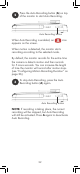
Select the desired duration and press on the
joystick to save changes.
ENGLISH
27
1
...
...
27
28
29
30
31
...
...
140