
Owner's Manual


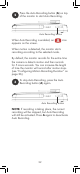


Configuring Video Quality
1
Press , then select Recording.
Select
Recording
2
Select Video
Quality
3
Select High for clearer video or Low for
smaller file size.
You may choose to record video at a low or high
quality depending on your recording needs.
To adjust video quality:
Configuring Motion Recording
Duration
When Auto Recording is enabled, the Motion
Recording Duration determines how long the
monitor will record video after the triggered
camera stops detecting motion.
For example, if the Motion Recording Duration is
set to 5 seconds, the monitor will start recording
when motion starts and keep recording until 5
seconds after motion stops.
By default, the monitor is set to High quality.
26