
Owner's Manual





You can configure your system to delete the
oldest saved video files to make way for new
recordings. This allows you to record new video
when your microSD card (not included) is full.
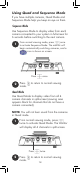
Using File Overwrite
Changing Languages
1
Press , then select Settings.
Select
Settings
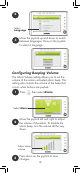
This video monitor supports 3 languages: English,
French, and Spanish.
To change languages:
ENGLISH
17
1
Press , then select Recording.
Select
Recording
To configure file overwriting:
2
3
Select Yes to enable file overwriting or
No to disable.
Select File
Overwrite