
Owner's Manual





3
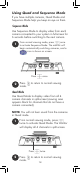
Move the joystick left and right to switch
between fields. Move the joystick up and
down to adjust the date and time.
4
Push the joystick in to save changes.
2
Select Setup
Select
Brightness
3
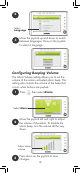
Move the joystick up and down to select
the camera. Adjust the brightness level by
moving the joystick left and right.
Adjust camera
brightness
1
Press , then select Setup.
Adjusting Camera Brightness
NOTE: Video monitor uses 24-hour time.
5
Press repeatedly to get back to normal
viewing mode.
4
Push on the joystick to save changes.
16