
Owner's Manual


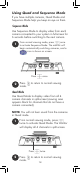


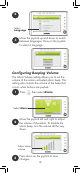

Press + and - to adjust monitor volume
Adjusting Volume
Fixed Camera
P/T Camera
Use the volume dial to adjust the volume of the
camera speaker for two-way-talk.
Monitor
Press to
cycle through
connected
cameras.
The currently
selected
camera is
shown on
screen.
To connect additional cameras to the
monitor, see “Pairing Additional Cameras”
on page 37.
The monitor only plays sound from the
camera that is currently being viewed.
Changing Channels
Press and hold
to talk to the
selected camera
Using the Talk Function
Volume dial
ENGLISH
11