
Operation Manual



54
User Manual
Fig. 3.5.2.3 - Example of Full Info page
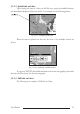
To see the "Fishing" object press 'MENU' (when the "Fishing" object is high-
lighted). On the screen appears:
Fig. 3.5.2.3a - Example of picture associated to the Fishing object
3.5.3 INFO TREE AND EXPANDED INFO PAGE
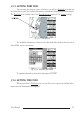
This page combines the Info Tree and the Expanded Info pages; this gives the
advantage of showing the details of the object selected on the Info Tree while the cursor is
moving through the Info Tree’s items.
The upper side of the page contains the Info Tree and the Lower side contains the
expanded information. While moving the cursor through the Info Tree, all the relevant
information of the selected object is shown on the lower part of the page.
When the selected object is a Tide Height, pressing 'ENTER' the Tide page is
shown. Pressing 'CLEAR' the page is closed.
3.5.4 INFO FUNCTION
Place the cursor in any place you want and press:
'MENU' + 'INFO'
to show the Info Tree and Expanded Info page (see Par. 3.5.4).