
User manual





28
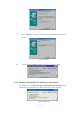
Fig.6
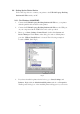
5. Click Details folder tab and change the printer port to LPT2:(USB-to-
Parallel Port.) (Ref. Fig.7)
Fig.7
6. If you do not have a printer installed yet, go to Start, Settings, Printers,
and choose Add Printer. The Add Printer Wizard will start and assist you
to install a new printer device. Select the printer manufacturer and model
name from the list provided by the wizard or use the printer driver diskette
came with your printer.