
User manual





27
2.6. Setting Up the Printer Device
Follow the steps below to connect your printer to the USB 2.0 Laptop Docking
Station with Video with your PC:
2.6.1. For Windows 98/98SE/ME:
1. Connect the USB 2.0 Laptop Docking Station with Video to your printer
with the parallel cable and turn on the printer.
2. Connect the USB 2.0 Laptop Docking Station with Video to the USB port
on your computer with the USB/VGA combo cable provided.
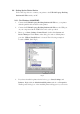
3. Please go to Start, Settings, Control Panel, double click System, and
Device Manager. Check Ports on the dialog box and see which printer
ports the “USB-to-Parallel Port” is located. The following example is
located as LPT2. (Ref. Fig.5)
Fig.5
4. If you have installed a printer device before, go to Start, Settings, and
Printers. Right-click the default-installed printer and choose Properties.
The Properties dialog box of the installed printer will appear on your screen.