
User manual





24
B. Other USB Device Enumeration
The other USB devices on USB 2.0 Laptop Docking Station with Video
will enumerate automatically since their drivers have been installed.
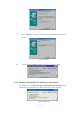
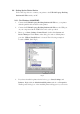
Fig. EnumXP64-OK
2.4. Important Set Up Info
Before connecting the printer to the parallel port of USB 2.0 Laptop
Docking Station with Video, the printer driver must be installed on your
computer in advance, otherwise it might print an unknown format of
characters.
Please refer to "Setting Up the Printer Device" section to connect your
printer to the USB 2.0 Laptop Docking Station with Video.
For modem users, please install the modem driver manually before
connecting the modem to the converter, otherwise it might operate
unexpectedly.
Please refer to "Setting Up the HyperTerminal with USB to serial port"
section as an example of routing your COM port setting.
For laptop computer users:
You must follow your laptop’s user reference guide provided by the
computer manufacture to set up the VGA output to your extra VGA port
properly. The USB 2.0 Laptop Docking Station with Video does not
provide the feature of a second display card, but rather repeats the VGA
display from your laptop to a larger VGA monitor. This allows you the
convenience of a larger display without having to set it up each time.