
User manual



15
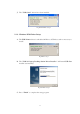
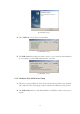
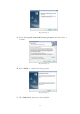
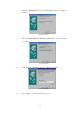
Fig Vista-Setup-8
2.2. Hardware Installation
1. Power on your computer and make sure that the USB and VGA ports are
enabled and working properly.
2. Put the Driver CD into CD-ROM drive of your PC or Notebook.
3. Connect the power adapter to the USB 2.0 Laptop Docking Station with
Video (to utilize full functionality).
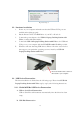
4. Connect the USB 2.0 Laptop Docking Station with Video to the USB and
VGA port on your computer with the VGA/USB combo Y cable provided.
5. Windows will start detecting USB devices. Please follow the section below
that supports your particular operating system to install your USB 2.0
Laptop Docking Station with Video.
Fig. 3
2.3. USB Device Enumeration
The driver installation is divided into the following steps. Please install USB 2.0
Laptop Docking Station with Video step by step by the following instructions:
2.3.1. Win98/98SE/Me USB Device Enumeration
A. USB-to-Serial Port Enumeration
USB-to-Serial Port will enumerate automatically since the driver has been
setup.
B. USB Hub Enumeration
Insert VGA/USB Combo cable here
then attach to your computer