
Owner's Manual




8
Installation
Precautions
• The following steps of installation and connection
work should be done by qualified service person-
nel or system installers and should conform to all
local codes.
• Be sure to switch the camera off before installation
and connection.
• Do not install the camera near the air outlet of an
air conditioner.
Removing the Protection Tape
Before using the camera, remove the protection tape.
Caution: Remove the protection tape carefully.
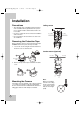
1. Loosen the screws using the wrench and remove
the dome cover as shown below.
2. Remove the protection tape and attach the dome
cover.
Mounting the Camera
The figures show an example of the camera mounted
on a ceiling or wall with a locally procured bracket.
Refer to the instructions included with the bracket for
filling gaps and holes with waterproof material.
The Ceiling
The Ceiling
Surface mount (Optional)
Ceiling mount
The Ceiling The Ceiling
Protection
tape.
Note:
When you install the
camera to the ceiling
mount, you must drill
a hole in the camera
body as shown right.
(ø5.0)
LPT-OI553HQ_ENG_0196 7/19/07 2:01 PM Page 8