
Owner's Manual




Additional programs 57
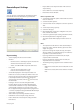
Message Search
1. Click the SEARCH button.
The message search window is displayed.
2.
Select the search method.
Event Search: Search by selected type of event for
the message.
Date Search: Search by selected date.
3.
Click the Search button.
The search message is displayed on the [Received
Messages] window.
Delete the Message from the List
1. S
elect the message(s) you want to delete.
2. Click the DELETE button.
The confirmation window is displayed.
3. Click [Yes] to delete the message.
Export Viewer Program
You can playback from the export data on the PC using this
program. The export viewer program is saved automatically
when you install the client program or export the data.
•
•
Main Screen of Export Viewer
Program Menu.
File
Open:
Open the data file.
Print: Prints the current playback image.
Save to JPEG: You can capture and save the
current image in JPEG file format while the play
back recorded data of the selected channel. The
save folder is “C:\LG Exported Files”.
Exit: Exit the program.
View
Language: Select the language for Export
Viewer program.
Video size: Select the video size of the current
playback data.
Help
A
bout Export Viewer: Displays Export Viewer
information.
Control Icons
.: Jumps to the beginning of the file.
``: Pauses playback.
N: Starts playback.
x: Stops playback.
>: Jumps to the end of the file.
Watermark Setting
The warning window will appear with watermark
option, if the file which is in playback differs from the
file that is originally recorded.
Video Information
File Name: Displays the file name.
Video Format: Displays the video type of the data.
Date/Time: Displays the recorded date and time of
data.
Recording Mode: Displays the save mode of the
data. (continuous, motion or other).
•
-
>
>
>
>
-
>
>
-
>
•
-
-
-
-
-
•
•
-
-
-
-