
Owner's Manual




Part Names and Functions
11
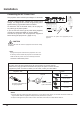
Remote Control Battery Installation
1
Open the battery
compartment lid.
2
Install new batteries
into the compartment.
3
Two AAA size
batteries
For correct polarity
(+
and –), be
sure
battery terminals
are
in contact with pins
in
compartment.
Replace the
compartment lid.
To ensure safe operation, please observe the following precautions:
● Use two (2) AAA or LR03 type alkaline batteries.
● Always replace batteries in sets.
● Do not use a new battery with a used battery.
● Avoid contact with water or liquid.
● Do not expose the remote control to moisture or heat.
● Do not drop the remote control.
● If the battery has leaked on the remote control, carefully wipe the case clean and install new batteries.
● Risk of an explosion if battery is replaced by an incorrect type.
● Dispose of used batteries according to the instructions or your local disposal rule or guidelines.
Remote Control Operating Range
Point the remote control toward the projector (Infrared
Remote Receiver) when pressing the buttons. Maximum 5
metres and 60 degrees in front of the projector.
3
0°
3
0°
5 m
Adjustable Feet
Remote Control
Projection angle can be adjusted up to 10.0 degrees with
the adjustable feet.
Lift the front of the projector and press the feet lock latches
on both side of the projector.
Release the feet lock latches to lock the adjustable feet and
rotate the adjustable feet to a proper height, and tilt.
Keystone distortion can be adjusted automatically with the
Auto setup function or manually by using the remote control
or the menu operation.
Adjustable Feet
Feet Lock Latches