
Owner's Manual




24
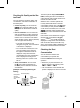
Checking the Air Quality Using
the Light Lamp
Four dierent colors are used to indicate
the overall air quality based on the dust
concentration and smell (gas) concentration.
Upper Light
Lamp
Lower Light
Lamp
Note
The Light lamp turns on white for the sensor
stabilization period (30 seconds). The smell
(gas) sensor is stabilized 2 minutes after you
start the operation. During this period, the
smell (gas) concentration is not reected in
the overall air quality.
Checking the Air Quality
You can check the cleanliness of the indoor air by looking at the Light lamp and the status panel.
Understanding the Overall Air Quality
The overall air quality is calculated based on the dust and smell (gas) concentrations
and is categorized into 4 levels including green, yellow, orange or red depending on the
contamination of the air.
Overall Air
Quality
State
PM density (μg/m
³
) Odor Level
PM10
(ne dust)
PM2.5
(ultra ne dust)
PM1.0
(super ultra ne dust)
State Level
Red Poor 255 or more 56 or more 56 or more Very strong 4
Orange Unhealthy 155~254 36~55 36~55 Strong 3
Yellow Moderate 55~154 13~35 13~35 Normal 2
Green Good 54 or less 12 or less 12 or less Weak 1
•
Overall air quality can be determined based on the Light lamp and the color (overall
air quality) on the status panel.
•
The color of overall air quality is determined based on whichever is worse between the dust
concentration and smell (gas) concentration.
Turning on/o the Light Lamp
You can press and hold the Mode button for
3 seconds or more to turn it on/o.
Note
•
When the sleep timer is set, the Light lamp
turns o.
•
If you turn on the Light lamp after setting
the sleep timer, you will see the overall air
quality on the status panel as well as on
the Light lamps.