Multifunction Printer Quick Reference
Manuals
Brands
Lexmark Manuals
Printer
X204N
1
2
3
4
5
6
7
8
9
10
2
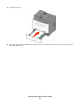
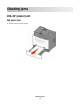
Remove the jam if you see it here.
3
If you do not see it, see “201 paper jam” on page 8.
201 paper jam
1
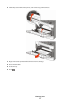
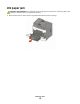
Open the front door, and then remove the photoconductor kit and toner cartridge.
Clearing jams
8
1
...
...
6
7
8
9
10
...
...
15