Printer User's Guide
Manuals
Brands
Lexmark Manuals
Printer
MS00853
271
272
273
274
275
276
277
278
279
280
3
Touch
Continue
.
290–294 paper jams
1
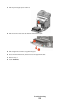
Remove all original documents from the ADF.
2
Open the ADF cover, and then remove any jammed paper.
3
Close the ADF cover.
4
Open the duplex cover, and then remove any jammed paper.
Troubleshooting
275
1
...
...
273
274
275
276
277
...
...
333