
Quick Reference Guide

Understanding the printer messages
Toner cartridge messages
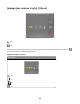
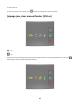
Cartridge, imaging unit mismatch [41.xy]
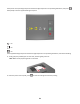
‑ On
‑ On
‑ Slowly blinking
‑ Slowly blinking
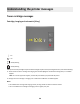
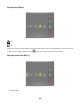
If the printer control panel light sequence matches the light sequence in the preceding illustration, then do the following:
1 Check if both the toner cartridge and imaging unit are MICR (Magnetic Ink Character Recognition) or non-MICR
supplies.
Note: For a list of supported supplies, contact the place where you purchased the printer.
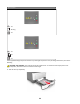
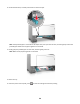
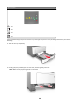
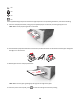
2 Change the toner cartridge or imaging unit so that both are MICR or non‑MICR supplies.
Notes:
• Use a MICR toner cartridge and imaging unit for printing checks and other similar documents.
• Use a non-MICR toner cartridge and imaging unit for regular print jobs.
39