
Printer User Manual


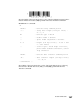


Table Of Contents
- Introduction
- Set Initial Conditions (SIC) Command
- IBM Emulation Mode Printer Commands
- Control Codes
- Escape Sequences
- Printer Command Parameters
- Command Structure
- Printer Command Quick Reference (IBM Emulation Mode)
- Selecting a Character Set
- Select Code Page
- Print From Code Page
- Download a Character Set
- Select Global Font
- Select Print Type Style
- Set Print Quality
- Graphics Print Modes
- Horizontal Movement
- Line Control
- Vertical Tabulation
- Line Spacing
- Set Top of Form and Page Length
- Printer Control
- Epson Emulation Mode Printer Commands
- OKI Microline Emulation Mode Printer Commands
- Using the Printer Interface
- Downloading Characters and Fonts
- Barcodes
- Code Pages
- Glossary
- Index

167
Section 8: Barcodes
Since the b0 bit of the c parameter has a value of 01 (check digit by printer), there
must be 11 data characters (x0B) specified in the Data Transfer Command.
Invalid UPC-A command:
Since b0 bit of the c parameter has a value of 0 (check digit by host/software),
there must be 12 data characters (x0C), not 11 (x0B), specified in the Data
Transfer Command.
<x
1B5B66 - barcode setup command prefix
0600 - setup data length (low byte first) -
x0006, x
B7 - barcode type = UPC-A
00 - module width = default
00 - space width adjustment = default
4003 - height (low byte first) - x0340 = 832
= 0.385 inches
00 - control byte: check digit from host,
print human readable character, center
flag character
1B5B70 - barcode data transfer command prefix
0B00 - data transfer length (low byte first)
- x000B, 11
>05852549545 ...