International User's Reference Printer E340, E342n
Manuals
Brands
Lexmark Manuals
Printer
E 342n
31
32
33
34
35
36
37
38
39
40
How to use the rea
r e
xit
34
Print media tasks and tips
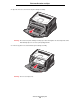
T
o use the
rear e
x
it, o
pen the rear
ex
it door
. When
the rear e
xit door is
open, a
ll print med
ia comes o
ut the rea
r e
xit. When
closed
, all media
is sent t
o the outpu
t bin on to
p of the printe
r
.
1
...
...
32
33
34
35
36
...
...
118