Printer User's Guide
Manuals
Brands
Lexmark Manuals
Printer
110
161
162
163
164
165
166
167
168
169
170
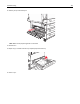
2
Pull th
e jam up
and to
ward you.
Note:
M
ake sure all
paper fragmen
ts are re
moved.
3
Clos
e Door
C.
4
Open Tray 1, and then remove any cr
umpled paper from the tr
ay.
5
Ins
ert
Tra
y 1.
Troubles
hoot
ing
167
1
...
...
165
166
167
168
169
...
...
215