
Graphics Tablet User's Manual
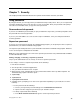
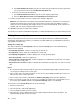

Table Of Contents
- Read this first
- Chapter 1. Product overview
- Chapter 2. Getting started
- Chapter 3. Wireless networks and devices
- Chapter 4. Battery and ac power
- Chapter 5. Using your tablet
- Chapter 6. ThinkPad Tablet 2 options
- Chapter 7. Security
- Chapter 8. Recovery overview
- Chapter 9. Advanced configuration
- Chapter 10. You and your tablet
- Chapter 11. Troubleshooting problems
- Chapter 12. Getting support
- Appendix A. Regulatory information
- Wireless related information
- Export classification notice
- Electronic emission notices
- Federal Communications Commission (FCC) Declaration of Conformity
- Industry Canada Class B emission compliance statement
- European Union - Compliance to the Electromagnetic Compatibility Directive
- German Class B compliance statement
- Korea Class B compliance statement
- Japanese VCCI Class B statement
- Japan compliance statement for products which connect to the power mains with rated current less than or equal to 20 A per phase
- Lenovo product service information for Taiwan
- Additional regulatory information
- Appendix B. Environmental, recycling, and disposal information
- Lenovo recycling statement
- Japan recycling statements
- Recycling information for Brazil
- Important WEEE information
- Battery recycling information for Taiwan
- Battery recycling information for the United States and Canada
- Battery recycling information for the European Union
- China recycling information for Waste Electrical and Electronic Equipment (WEEE)
- Appendix C. Notices
- Appendix D. Restriction of Hazardous Substances Directive (RoHS)

Chapter7.Security
Thischapterprovidesinformationabouthowtoprotecttheinformationstoredonyourtablet.
Usingpasswords
Byusingpasswords,youcanhelppreventyourtabletfrombeingusedbyothers.Onceyousetapassword,
apromptisdisplayedonthescreeneachtimeyouturnonthetablet.Enteryourpasswordattheprompt.
Youcannotusethetabletunlessyoutypethecorrectpassword.
Passwordsandsleepmode
IfyouhavesetaWindowspasswordandyouputyourtabletintosleepmode,youwillbepromptedtoenter
thepasswordwhenresumingoperation.
IfyouuseyouremailaddressasauseraccounttosignintoWindows,enteryouremailpasswordwhen
resumingoperation.
Supervisorpassword
IfyouhavesetasupervisorpasswordintheThinkPadSetupprogram,youareprompttoenterasupervisor
passwordwhenyoustarttheThinkPadSetupprogram.
ThesupervisorpasswordprotectsthesysteminformationstoredintheThinkPadSetupprogram.Withoutit,
noonecanchangethecongurationofthetablet.
Note:ThesystemadministratorcansetthesamesupervisorpasswordonmanyThinkPadnotebooktablets
tomakeadministrationeasier.
Setting,changing,orremovingasupervisorpassword
Onlyasystemadministratorcanset,change,orremoveasupervisorpassword.
Toset,change,orremoveasupervisorpassword,dothefollowing:
1.Printtheseinstructions.
2.Saveallopenles,andexitallapplications.
3.Turnyourtabletoffandthenturnitonagain.
4.Whenthelogoscreenisdisplayed,pressthepowerbuttonandthevolumeupbuttontogether.The
ThinkPadSetupprogrammainmenuopens.
5.TapSecurity.
6.TapPassword.
7.TapSupervisorPassword.
8.Awindowopens,promptingyoutoenteranewpassword.Dependingonyourneeds,dooneofthe
following:
•Tosetapassword,dothefollowing:
a.ChooseyoursupervisorpasswordandtypeitintheEnterNewPasswordeld.
b.Tapthenextline.Retypethepasswordyoujustenteredtoverifyit.
•Tochangeapassword,dothefollowing:
a.IntheEnterCurrentPasswordeld,typethecurrentsupervisorpassword.
©CopyrightLenovo2012
33