
Personal Computer User's Guide


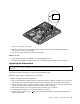


Figure39.RemovingtheWI-FIcard
8.InsertthenotchedendofthenewWI-FIcardintotheminiPCIExpressx1cardslot.Pressthenew
WI-FIcardrmlyandthenpivottheWI-FIcardtoalignthescrewholeinthenewWI-FIcardwith
theoneinthesystemboard.
9.InstallthescrewtosecurethenewWI-FIcardtothesystemboard.
10.ConnectthetwocablestothenewWI-FIcard.
Whattodonext:
•Toworkwithanotherpieceofhardware,gototheappropriatesection.
•Tocompletetheinstallationorreplacement,goto“Completingthepartsreplacement”onpage73.
Replacingtheambientlightsensor
Attention:
Donotopenyourcomputerorattemptanyrepairbeforereadingandunderstanding“Importantsafetyinformation”
onpagev
.
Thissectionprovidesinstructionsonhowtoreplacetheambientlightsensor.
Note:Theambientlightsensorisavailableonlyinsomemodels.
Toreplacetheambientlightsensor,dothefollowing:
1.Removeallmediafromthedrivesandturnoffallattacheddevicesandthecomputer.Then,disconnect
allpowercordsfromelectricaloutletsanddisconnectallcablesthatareconnectedtothecomputer.
2.Placeasoft,cleantowelorclothonthedeskorsurface.Holdthesidesofyourcomputerandgentlylay
itdownsothatthescreenisagainstthesurfaceandthecoverisfacingup.
3.Removethecomputercover.See“Removingthecomputercover”onpage41.
4.Locatetheambientlightsensor.See“Locatingcomponents”onpage13.
Note:Youmighthavetoremovethehandlebartoaccesstheambientlightsensor.Toremovethe
handlebar,see“Removingandreinstallingthehandlebar”onpage43
.
62ThinkCentreUserGuide