
Personal Computer User's Guide




2.Placeasoft,cleantowelorclothonthedeskorsurface.Holdthesidesofyourcomputerandgentlylay
itdownsothatthescreenisagainstthesurfaceandthecoverisfacingup.
3.Removethecomputercover.See“Removingthecomputercover”onpage41.
4.Locatetheintegratedcamera.See“Locatingcomponents”onpage13.
Note:Youmighthavetoremovethehandlebartoaccesstheintegratedcamera.Toremovethehandle
bar,see“Removingandreinstallingthehandlebar”onpage43
.
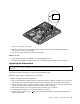
5.Notetheroutingoftheintegratedcameracableandthendisconnecttheintegratedcameracablefrom
thesystemboard.See“Locatingpartsonthesystemboard”onpage16.
6.Removethetwoscrews1thatsecuretheintegratedcameratothefrontbezel,andthenremovethe
integratedcamerafromthecomputer.
Figure37.Removingtheintegratedcamera
7.Routethenewintegratedcameracableandthenpositionthenewintegratedcamerainplace.Alignthe
twoscrewholesinthenewintegratedcamerawiththoseinthefrontbezel.
8.Reinstallthetwoscrewstosecurethenewintegratedcameratothefrontbezel.
9.Connecttheintegratedcameracabletothesystemboard.See“Locatingpartsonthesystemboard”
onpage16.
Whattodonext:
•Toworkwithanotherpieceofhardware,gototheappropriatesection.
•Tocompletetheinstallationorreplacement,goto“Completingthepartsreplacement”onpage73
.
ReplacingtheWI-FIcard
Attention:
Donotopenyourcomputerorattemptanyrepairbeforereadingandunderstanding“Importantsafetyinformation”
onpagev.
ThissectionprovidesinstructionsonhowtoreplacetheWI-FIcard.
Note:TheWI-FIcardisavailableonlyinsomemodels.
60ThinkCentreUserGuide