
User`s manual




1
1-5 Reading the Status Window
OVERVIEW
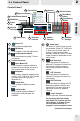
1-5-3 Status Window in TimeShifting Mode
1-5-4 Status Window in Playback Mode
Channel Name
Icon AC3 (Dolby Digital)
indicator
Icon SAP indicator
TTV-1
TTV-1
1
2
3
1
2
3
3
1
Channel Name
Icon AC3 (Dolby Digital)
indicator
Icon SAP indicator
TimeShifting mode - Standby
TimeShifting mode - Playback
TV mode
There are 4 types of actions in TV mode:
1. With no recording in progress
2. With recording in progress
3. With TimeShifting standby
4. With TimeShifting playback
With no recording in progress
0:00:3'42"
1
2
3
1
2
3
1
2
1
2
1
2
3
Length of recorded
video of the ongoing TimeShifting
recording
0:00:1'94"
1
Length of played video of
the ongoing TimeShifting
recording
Quit Timeshifting
Indicates the system is
under TimeShifting mode
0:00:2'54"
1
2
3
1
Video playback mode
AC3
2
3
1
2
3
1
2 2
TTV-1
AC3
TTV-1 TTV-1
With recording in progress
Length of recorded
video of the ongoing
recordings.
Indicating the system is
busy recording
programs.
5