
User`s manual





WinFast PVR2 Software Manual
2
Introduction Features
WinFast PVR2 Software Manual
3
FM MODE
3-2 Scan Channels
(Only Applicable to Specific Products)
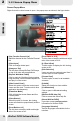
[Sensitivity] Sliding knob
You can set the sensitivity of the scanning by changing the sensitivity level between 1
and 3. If it is set too high, noise can be mistaken as a radio station.
[Scan] button
Click the button to start scanning for all available channels.
[Stop] button
Click to stop the scanning.
Progress bar
Shows the progress of scanning.
Scanning for channels is the first thing you need to do when you use the application
for the first time. Otherwise, there will not be any channels available for listening. To scan
for channels, please click on the control panel, when the setting page appears, click on
the second label from the right go to the FM Channel List dialog box to start scan channels.
Scan Channels
34