
Specifications





Page | 12 516041-1118
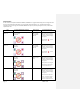
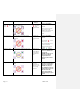
TROUBLESHOOTING
Observed Issue
Likely Cause
Corrective Action Required
Display does not operate when
power switch is on.
No main power
Check power supply and power cord connection
Fuse is blown
Contact Lantheus Medical Imaging for assistance
(see page 15).
Motor does not operate after
START button is pressed.
Cover is open
Close the cover
VIALMIX®RFID stops during
activation cycle.
Cover has been opened or STOP
button has been pressed
during activation cycle.
Do not attempt to use the DEFINITY® vial since it
was not acceptably activated. Do not open the
cover during activation. Only press the STOP
button if needed.
An error occurred during the
activation cycle.
Do not use the DEFINITY® vial since it was not
acceptably activated. Please refer to page 9 for a
list of errors. Retain the vial and call Lantheus
Medical Imaging (see page 15).
Fuse is blown
Do not use the DEFINITY® vial since it was not
acceptably activated. Retain the vial and call
Lantheus Medical Imaging (see page 15).
MAINTENANCE
All internal components in VIALMIX®RFID are maintenance-free. Therefore, maintenance of any internal components of
the unit is not required. If the unit is not operating as expected, please contact Lantheus Medical Imaging
(See page 15). Do not open unit housing or attempt to perform any maintenance or repair.
CLEANING
All external surfaces
of
VIALMIX®RFID should be cleaned with a soft cloth
and,
if
necessary,
with 70% Isopropyl
Alcohol, 3% Ammonia, or 1:500 dilution Sodium Hypochlorite
. Do
not allow cleansers to get into unit during
cleaning; an electrical short or a dangerous malfunction may occur. Do not immerse unit in any liquid.
U
nder no
circumstances should any solvents or abrasive detergents be used since these can damage the plastic.