
Wireless 433 MHz Temperature Station Instruction Manual WS-7034U



9
2.
The recorded minimum temperature is
displayed. The time of the minimum
outdoor temperature will also flash.
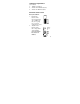
3. Press the “MIN/MAX” button,
“MAX” appears next to the indoor
and remote temperatures.
4. The recorded maximum temperature
is displayed. The time of the
maximum outdoor temperature will
also flash.
5. Press and release the “MIN/MAX”
button to exit min/max mode.
6. To view optional additional sensors,
press and release the “SET” button
while viewing the minimum or
maximum.
Resetting Min and Max Temperatures
To reset both the minimum and maximum
temperatures—press and hold the
“RESET/+” button for 4 seconds.