
Operation Manual


Copy Functions
1-54
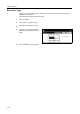
MonoColor Copy
Specify one of Cyan, Magenta, Yellow, Red, Green, or Blue, and produce copies with that color
regardless of original type.
Follow the steps as below for MonoColor Copy.
1
Place the original.
2
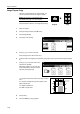
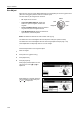
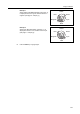
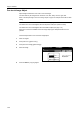
Press [Color func.] ([Colour func.]).
3
Press [Mono color] ([Mono colour]).
4
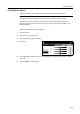
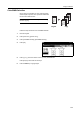
Select color for copying from [Cyan],
[Magenta], [Yellow], [Red], [Green] or
[Blue].
5
Press the Start key. Copying begins.
MonoCol or
Off
Cyan
Back
Paper Size
Only on color selection.
100%
Shortcut
Ready to copy.
Mage nta
Yellow Blue
Green
Red
( )Cyan
11×
8