
Operation Manual


Copy Functions
1-47
3
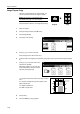
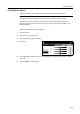
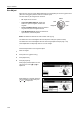
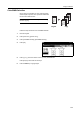
Press [Auto selection] or [Unify Size
Filing] ([Electronic Filing]).
For [Unify Size Filing] ([Electronic
Filing]), select the size of the first original
page and press [Close]. Select the paper
tray from the [Basic] screen.
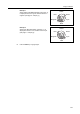
NOTE: In order to correctly set the finished bind direction, set the size of the first page of the
original.
4
Press the Start key. Copying begins.
Auto Selection
Off
Unify Size
Back
Paper Size
Able to scan mix size originals at
one time using Document process
o
and copy them in unified paper si
z
100%
Filing
Shortcut
Ready to copy. ( )Full-Color
Auto
selection
1st pg. Orig
11×
8
8½×14"/
11×17"
8½×11"/
11×8½"