
Operation Manual






Copy Functions
1-43
EcoPrint
Set EcoPrint mode to recude the energy consumed. Use this mode when high-quality copying is not
required (e.g., when making test copies).
NOTE: The image may appear lighter.
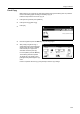
Follow the below steps to configure EcoPrint.
1
Press [Function] and then press [T Down].
2
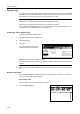
Press [EcoPrint].
3
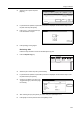
Press [On]. EcoPrint is enabled.
EcoPrint
E
coPrint mode saves toner.
Back
On
Close
Set
O
utput will be lighter.
Off
Conserve toner
consumption.
Image is light.
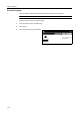
Paper Size
Shortcut
100%
to copy. ( )Full-Color
11×8½"