
Operation Manual




Job Accounting
8-23
3
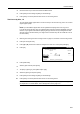
The department ID entry screen is
displayed. Use the numeric keys to enter
the department ID and press [Enter].
The screen for the each function is
displayed.
NOTE: If you enter the code incorrectly, press [Clear] to reenter the correct code.
Entering an invalid department ID-code will trigger an error alarm. Use the numeric keys to enter the
correct code.
You can review the department’s copy count by pressing [Each Mgt. Total] after entering your
department ID-code.
4
Complete the scan job as usual.
5
After finishing scanning, the touch panel will return to the screen in step 1. The department ID code
must be reentered for the next scan operation.
D
.
Enter
Clear
Each Mgt.
Total