
Operation Manual




Copy Functions
1-15
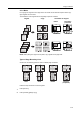
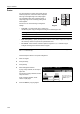
4-in-1 Mode
For copying four originals onto a single sheet. This mode can be used with Duplex mode to copy
eight originals onto one sheet.
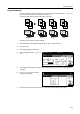
The orientations of the original and corresponding output are as follows.
NOTE: When placing the original on the platen, copy originals in the page order.
Types of Page Boundary Lines
Choose from the following options for lines to indicate page boundaries.
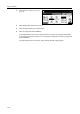
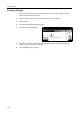
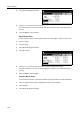
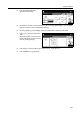
Follow the steps as below to combine originals.
1
Press [Function].
2
Press [Combine] ([Merge copy]).
Copy Original Orientation of Original
Document
processor
Platen
None DottedSolid Borders
(Cropmark)