
Operation Manual




System Menu
7-23
Select the Main Mode
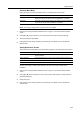
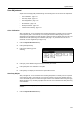
Specify the screen to be first shown after power-on. The setting items are as follows.
NOTE: This setting is displayed when the optional fax kit is installed.
1
Referring to Accessing the Machine Default Screen on page 7-13, access the Machine Default
screen.
2
Press [S] or [T] to select Select the main mode (Select main mode) and press [Change #].
3
Select [Copy Mode] or [Fax Mode].
4
Press [Close] to save settings or [Back] to cancel settings. The display returns to the Machine
Default screen.
Setting Notification Sounds
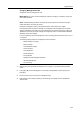
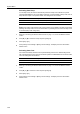
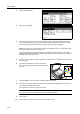
Set the notification sounds made by the machine during operation. The setting items are as follows.
Set each item to [On] to enable sound notification. Set each item to [Off] to disable sound
notification.
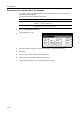
1
Referring to Accessing the Machine Default Screen on page 7-13, access the Machine Default
screen.
2
Press [S] or [T] to select Notify (Touch tone), Notify (Finish), Notify (Ready) or Notify (Attention)
and press [Change #].
3
Select [Off] or [On].
4
Press [Close] to save settings or [Back] to cancel settings. The display returns to the Machine
Default screen.
Item Description
Copy Mode Copy mode is set as the first screen to be shown after the power is
switched on (the screen shown when the Copier key is pressed).
FAX Mode Fax mode is set as the first screen to be shown the power is switched
on (the screen shown when the Fax key is pressed).
Item Description
Touch tone notification The beep sound made when a key on the operation panel or touch
panel is pressed.
Finish notification The sound made when a copy or print operation finishes without error.
Ready notification The sound made when warm-up is complete.
Attention notification The sound made when an error has occurred.