
Operation Manual


Included Scanner Utilities
6-13
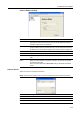
Address Editor
About the Address Editor
Use the Address Editor to register or modify addresses in the scanner Address Book (Common
Address Book). This tool is used by the administrator to perform address book maintenance. If there
are multiple Address Editor-compatible scanners present, they can be easily managed by specifying
all of the scanners in the same destination list.
Installing and Uninstalling
Installing Address Editor
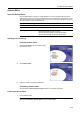
1
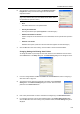
Click Scanner Utilities from the Software Library
CD-ROM main menu.
2
Click Address Editor.
3
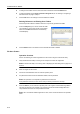
Follow the wizard to complete the installation.
Uninstalling Address Editor
Use the Windows Add or Remove Programs feature to uninstall the application.
Launching Address Editor
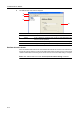
1
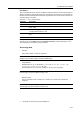
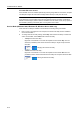
Launch Address Editor
NOTE: Click the Windows start button, and on the menu that appears select All ProgramsJ
Scanner User SoftwareJAddress Editor to launch Address Editor.
Recommended Operating Environment
Hardware IBM PC/AT Compatible
Interfaces 10BASE-T/100BASE-TX
Operating System Windows NT 4.0 (Service Pack 5 or later),
Windows 2000 (Service Pack 2 or later),
Windows 98 (Second Edition), Windows 95 (OSR2),
Windows Me, Windows XP, Windows Server 2003