
Operation Manual




Printer Settings
3-38
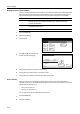
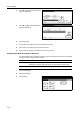
Processing message is displayed and printing of list begins.
5
When printing is complete, the screen returns to printer mode.
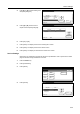
Printing the Code Job List
Print a list of (permanent) saved code jobs stored in the hard disk.
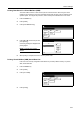
1
Press the Printer key.
2
Press [e-MPS].
3
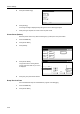
Press [List of Code JOB].
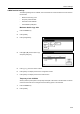
4
Press [Printing].
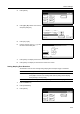
Processing message is displayed and printing of list begins.
5
When printing is complete, the screen returns to printer mode.
VIRTUAL MAIL BOX LIST
e-MPS
Quick Copy
Private/
Print VMB
List of
Confi gu-
Select item.
List of
rationVMB
Stored Code JOB
Data Tray
PERMANENT CODE JOB LIST