
Operation Manual





Printer Settings
3-29
6
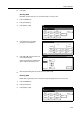
Press [GO].
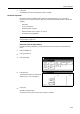
Reading Data
Read data, program data, fonts, or macro data saved to a memory card.
1
Press the Printer key.
2
Press [Printer Menu].
3
Press [Memory Card].
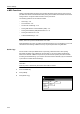
4
In the Read area, press [Data],
[Program], [Font] or [Macro].
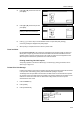
5
Press [S] or [T], select the item to be
read, and press [Enter].
Processing message is displayed and
data is read from the memory card.
6
When finished reading data, the screen returns to printer mode.
Deleting Data
Delete data, program data, fonts, macro data or option languages saved to a memory card.
1
Press the Printer key.
2
Press [Printer Menu].
3
Press [Memory Card].
Printer menu
Print Sta-
tus Page
Interface
Emulation
Page Set
Print
Paper
RAM DI SK
Mode
Select item.
Font
Color Mode
Handling
Quality
Others
Memory
Car d
Memory Card
List of
Read
Delete
Printer menu
Partitions
Wr i te Data
Format
On
Data Program Data
Font Macro Font
Language
Cancel
Memor y Car d
Enter
Up
D
ata
-
Down
Printer menu
Print Sta-
tus Page
Interface
Emulation
Page Set
Print
Paper
RAM DI SK
Mode
Select item.
Font
Color Mode
Handling
Quality
Others
Memory
Car d