
Operation Manual




Printer Settings
3-24
2
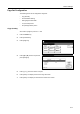
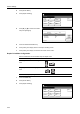
Press [Printer Menu].
3
Press [Paper Handling].
4
Press [S] or [T] to select Feed Select
and press [Change #].
5
Press the desired Feed Select key.
6
Press [Close]. The display returns to the Paper Handling screen.
7
Press [Close]. The display is returned to the Printer menu screen.
Duplex Print Mode Configuration
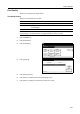
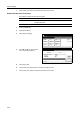
Set the bind direction for the finished output for duplex mode.
1
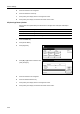
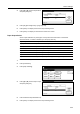
Press the Printer key.
2
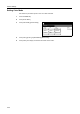
Press [Printer Menu].
3
Press [Paper Handling].
Printer menu
Print Sta-
tus Page
Interface
Emulation
Page Set
Print
Paper
RAM DI SK
Mode
Select item.
Font
Color Mode
Handling
Quality
Others
Paper Handling
Printer menu
(Not specified)
Change #
Off
Setting Item
Feed Select
Duplex Mode
Paper Output
Override A4/LT
Val ue
Multipurpose tray mode Cassette
1st paper
Tray A
Off
Item Description Preview
Short edge
bind
Binds at the short edge
Long edge
bind
Binds at the long edge
Off Duplex printing disabled
Printer menu
Print Sta-
tus Page
Interface
Emulation
Page Set
Print
Paper
RAM DI SK
Mode
Select item.
Font
Color Mode
Handling
Quality
Others