
Operation Manual




Printer Settings
3-19
3
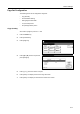
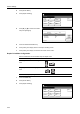
Press [Page Set].
4
Press [S] or [T] to select Page Protect
and press [Change #].
5
Press [Auto].
6
Press [Close]. The display returns to the Page Set screen.
7
Press [Close]. The display is returned to the Printer menu screen.
LF (Line Feed) Action
Set the action to be performed by the device when a line feed code (text code 0AH) is received.
1
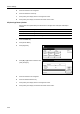
Press the Printer key.
2
Press [Printer Menu].
3
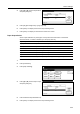
Press [Page Set].
4
Press [S] or [T] to select LF Action and
press [Change #].
Printer menu
Print Sta-
tus Page
Interface
Emulation
Page Set
Print
Paper
RAM DI SK
Mode
Select item.
Font
Color Mode
Handling
Quality
Others
Page Set
Printer menu
Change #
Auto
Setting Item
Orientation
Page Protect
LF Action
Value
CR Acti on
Copies 001.
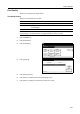
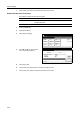
Item Description
LF only Line feed only
CR and LF Line feed and carriage return
Ignore LF Do not perform line feed
Printer menu
Print Sta-
tus Page
Interface
Emulation
Page Set
Print
Paper
RAM DI SK
Mode
Select item.
Font
Color Mode
Handling
Quality
Others
Page Set
Printer menu
Change #
Auto
Setting Item
Orientation
Page Protect
LF Action
Value
CR Acti on
Copies 001.