
Operation Manual




Printer Settings
3-17
Page Set Configuration
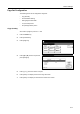
The following items can be configured for Page Set.
• Copy Quantity
• Print Orientation Setting
• Setting Page Protect Mode
• LF (Line Feed) Action
• CR (Carriage Return) Action
Copy Quantity
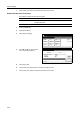
Set number of pages to print from 1 - 999.
1
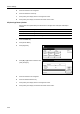
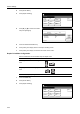
Press the Printer key.
2
Press [Printer Menu].
3
Press [Page Set].
4
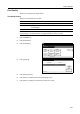
Press [S] or [T] to select Copies and
press [Change #].
5
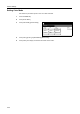
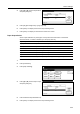
Press [+] or [–] to set the number of copies.
6
Press [Close]. The display returns to the Page Set screen.
7
Press [Close]. The display is returned to the Printer menu screen.
Printer menu
Print Sta-
tus Page
Interface
Emulation
Page Set
Print
Paper
RAM DI SK
Mode
Select item.
Font
Color Mode
Handling
Quality
Others
Page Set
Printer menu
001.
Change #
Setting Item
Copies
Orientation
Page Protect
LF Action
Value
CR Acti on
Auto