
Operation Manual



Printer Settings
3-16
7
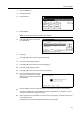
Press [Close]. The display returns to the Font screen.
Print List of Fonts
Print a list of fonts for use as a quick guide during font selection. A list of optional fonts may be
printed in the same manner.
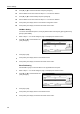
1
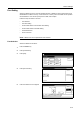
Press the Printer key.
2
Press [Printer Menu].
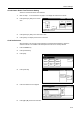
3
Press [Font].
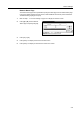
4
Press [Internal].
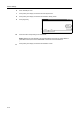
NOTE: If optional fonts other than
internal fonts are installed to the
device, Option may also be selected.
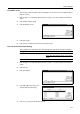
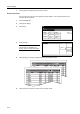
5
Press [Printing]. Processing is displayed and the status page is printed.
6
When printing is complete, the screen returns to printer mode.
Printer menu
Print Sta-
tus Page
Interface
Emulation
Page Set
Print
Paper
RAM DI SK
Mode
Select item.
Font
Color Mode
Handling
Quality
Others
Close
A4
Back
Code Set Internal
Option
Code Set Printing list