
User Manual






1.2.1 Information Window
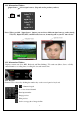
「Input Source」:Select signal sources. (Depends on the product you have)
Note:When you click “ Input Source” button, you can choose different signal sources, such as Analg
TV(ATV), Digital TV(DTV) and FM radio, however, it must depend on your TV tuner device.
1.2.2 Information Window
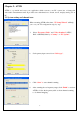
Displays current state (Live, REC, Playback, and Time Shifting), TV sound state (Mono, Stereo or SAP),
channel number, recording time, recording file size and current time.
1.2.3 Keypad
Channel can be selected by clicking the number key on the control panel or keyboard.
~ :Numeric keypad
:Go to last selected channel
:Enter input number
:Image preview
:Film preview
:Set the storage path of image & film
4
Input Source