
User Manual

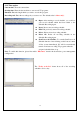


2.9 Pop-Up Menu
When running ATVR, right-click the mouse while the cursor is on the display window or control panel to see
the pop-up text menu. The commands on this menu are the same as those on the DTVR control panel, along
with some extra options added. The menu’s function is as described below.
z Always On Top : Set main window to topmost
z Display Aspect Ratio: Set the aspect ratio of the
display window (Free, 4:3 or 16:9、16:10)
z Full Screen : Switch to full screen or restore to normal
window
z Switch Video Source : Switch video source from the
following
(Antenna, Cable, Memory, Composite and S-Video)
z Previous Channel : Go to previous available channel
z Next Channel : Go to next available channel
z Recall Channel : Go back to last selected channel
z Memory : Browse channels in memory list.
z Channel Preview : Browse available channels as
sub-window
z Capture : Start recording video
z Time shifting : Start time shifting
z Snapshot : Capture still images of current picture
z Denoise
z Setup : Open TVR setup window
16
z Reset TV Frequency Table