
User Manual





4
1.2.3 Keypad
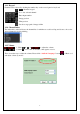
Channel can be selected by clicking the number key on the control panel or keyboard.
~ :Numeric keypad
:Go to last selected channel
:Enter input number
:Image preview
:Film preview
:Set the storage path of image & film
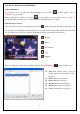
1.2.4 Channel Index
The index table on the left shows the channel list for which users could scroll up and down to choose the
desired channel by double clicking.
1.2.5 Volume
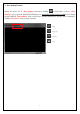
1. Click & or to adjust the volume.
2. Click icon to turn off all audio, click again to restore.
There is another way to adjust the volume. Please click “Audio & Language” button of Basic tool.
and adjust volume by mouse.