Owner manual
Manuals
Brands
KWorld Manuals
Accessories for video
HyperMedia Center V2-1
20
21
22
23
24
25
26
27
28
29
21
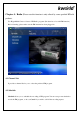
2. Please click on the “S
top” button
on
the
bottom left corner
.
3. Please click-on “Background Setting”
4.
Y
ou have now com
pleted personalizing your
HyperMedia Center
.
1
...
...
20
21
22
23
24
...
...
29