
User manual


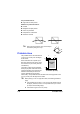


Table Of Contents
- magicolor 1650EN
- Contents
- Ch.1 Introduction
- Ch.2 Using the Printer Driver
- Ch.3 Using the Status Monitor (Windows Only)
- Ch.4 Printer Control Panel and Configuration Menu
- Ch.5 Media Handling
- Ch.6 Replacing Consumables
- Ch.7 Maintaining the Printer
- Ch.8 Troubleshooting
- Ch.9 Installing Accessories
- Appendix

Loading Media5-12
4 Slide the media guides against
the edges of the paper.
5 Reattach the dust cover.
6 Select MAIN MENU/PAPER MENU/INPUT TRAY/TRAY1/MEDIA
SIZE
and MEDIA TYPE in the configuration menu, and then select the
settings for the size and type of paper that are loaded. See also “PAPER
MENU” on page 4-8.