
User manual


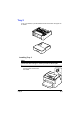


Table Of Contents
- magicolor 1650EN
- Contents
- Ch.1 Introduction
- Ch.2 Using the Printer Driver
- Ch.3 Using the Status Monitor (Windows Only)
- Ch.4 Printer Control Panel and Configuration Menu
- Ch.5 Media Handling
- Ch.6 Replacing Consumables
- Ch.7 Maintaining the Printer
- Ch.8 Troubleshooting
- Ch.9 Installing Accessories
- Appendix

Introduction9-2
Introduction
Note
Use of accessories not manufactured or supported by
KONICA MINOLTA will void your warranty.
This chapter provides information about the following accessories.
Note
Installing accessories always requires that the printer and accessories
are turned off and unplugged during installation.
" For details on the available options, refer to
printer.konicaminolta.com.
Tray 2 500-sheet tray
Duplex Option Auto duplexing
" In order for the duplex option to be installed,
Tray 2 must be installed on the printer.
Duplex Option and
Attachment
Auto duplexing
" The attachment is an interface unit for
installing the duplex option on the machine.
" During installation, install the attachment
before installing the duplex option.