
User manual


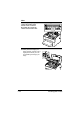

Table Of Contents
- magicolor 1650EN
- Contents
- Ch.1 Introduction
- Ch.2 Using the Printer Driver
- Ch.3 Using the Status Monitor (Windows Only)
- Ch.4 Printer Control Panel and Configuration Menu
- Ch.5 Media Handling
- Ch.6 Replacing Consumables
- Ch.7 Maintaining the Printer
- Ch.8 Troubleshooting
- Ch.9 Installing Accessories
- Appendix

Cleaning the Printer 7-9
Cleaning the Print Head Window
1 Perform the operation described below to switch the printer to the P/H
CLEAN UP mode.
Press Key Until Display Reads
IDLE
MENU
MAIN MANU
MAIN MENU
PRINT MENU
× 2
MAIN MENU
QUALITY MENU
QUALITY MENU
REPLACE TONER
× 3
QUALITY MENU
P/H CLEAN UP
P/H CLEAN UP
*YES
*YES
IS SELECTED
Then, it displays
OPEN DOOR
REMOVE TONER