
User manual

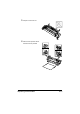




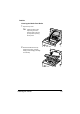
Table Of Contents
- magicolor 1650EN
- Contents
- Ch.1 Introduction
- Ch.2 Using the Printer Driver
- Ch.3 Using the Status Monitor (Windows Only)
- Ch.4 Printer Control Panel and Configuration Menu
- Ch.5 Media Handling
- Ch.6 Replacing Consumables
- Ch.7 Maintaining the Printer
- Ch.8 Troubleshooting
- Ch.9 Installing Accessories
- Appendix

Replacing Consumables6-22
7 Remove the fuser separator
material, and then return the
fuser separator levers to their
original positions.
Note
Be careful not to touch the paper exit sensor and the surface of the
fuser roller in the fuser unit.
8 While lifting the fuser unit with
the blue handles (one on each
side), vertically insert the fuser
unit.